Your AI personal trainer
Photograph your gym. Get a coach who knows it.
Snap the machines and weights in your gym, and AI learns exactly what's there. Your coach builds your plan around it, and edits your workout live as you train.

My gym
Your gym, in a few photos.
Every gym is different. Show the app yours, and every plan and every suggestion fits the equipment you actually have.
-
Snap it.
Photograph the machines, racks and weights, or choose up to 30 photos at a time from your library.
-
AI reads it.
AI names each machine and, when they are printed on it, reads its weights.
-
Your plan fits it.
My gym keeps the list: each machine, the weights it can be set to, your bars and plates. Your plan uses exactly that.
The coach
A coach that edits your workout live.
Chat with your coach in the middle of a workout. It knows the exercise you're on, your gym and your history.
Too easy? Short on time? Ask in plain words, and it swaps exercises and changes sets, reps and rest in the workout you're doing, and in your plan for next time. One tap approves each change.

A plan built for you
A whole plan, built around your gym.
Say how many days a week you can train, and AI builds your plan from the equipment in My gym. Ask your coach any time to reshape it.
In the gym
Nothing to remember.
-
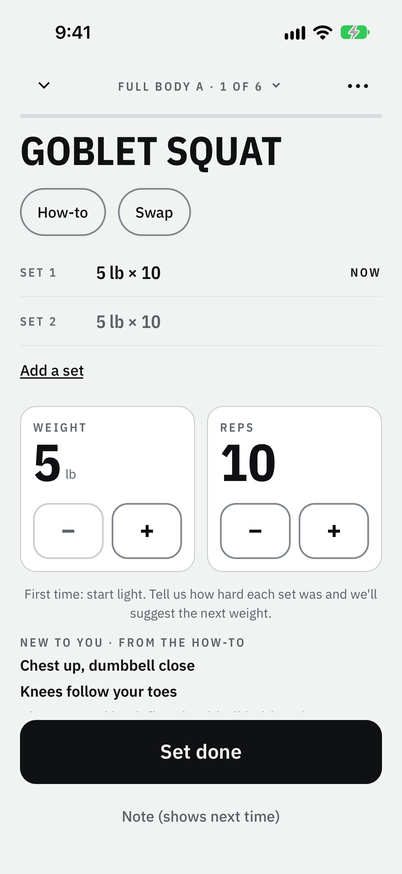
Your numbers are already there.
Last time's weight and reps, or a light start the first time. Lift, then tap Set done.
-
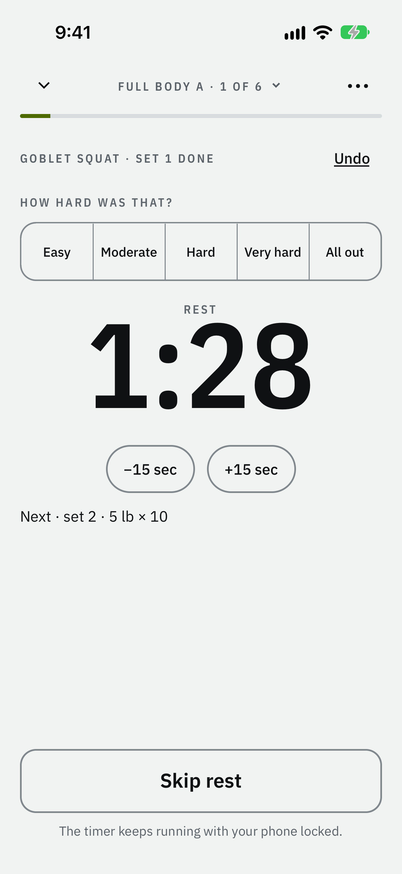
Rest starts by itself.
Your phone tells you when it's over, even locked. Say how hard that was, and the app suggests the next weight.
-
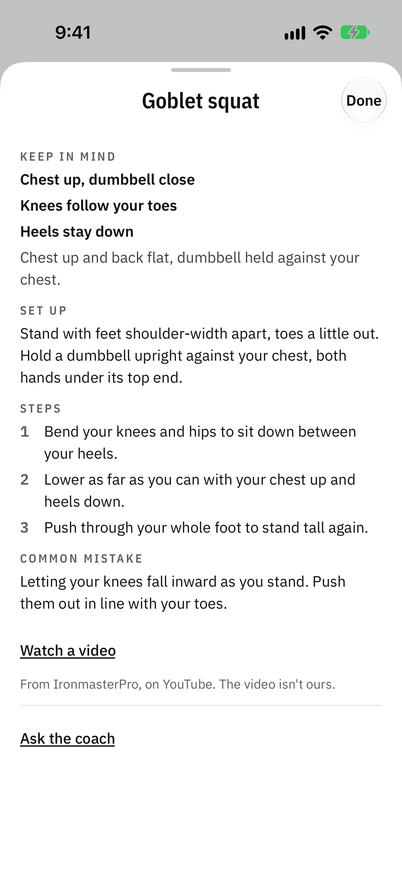
Not sure how? One tap.
Set up, steps and the common mistake, for 335 exercises. The words work with no signal.


When to add weight
Watch your weights go up.
Reach your reps on every set, and next time the app says so before you lift, with the reason. Try it with one tap, or keep the weight you have.

When the weight goes up, the card on Home turns over and says what changed. No fanfare. Your numbers.

New to lifting
Never lifted? Good.
Most of the worry is not knowing what to do. So the app answers the three questions you walk in with.
-
What do I do?
Today's workout is ready on Home: each exercise, in order, and how heavy to go.
-
How heavy?
Start light. Your first two workouts find your weights. Then the app tells you when to add more.
-
Am I doing it right?
Every exercise has a how-to in plain words: how to set up, the steps, the common mistake. And a video for almost every one.
Start in seconds
Or answer four questions.
A ready-made plan, fitted to a full gym, a basic gym or home, ready before you reach the gym. Start right away; sign in when you want your workouts saved.
-
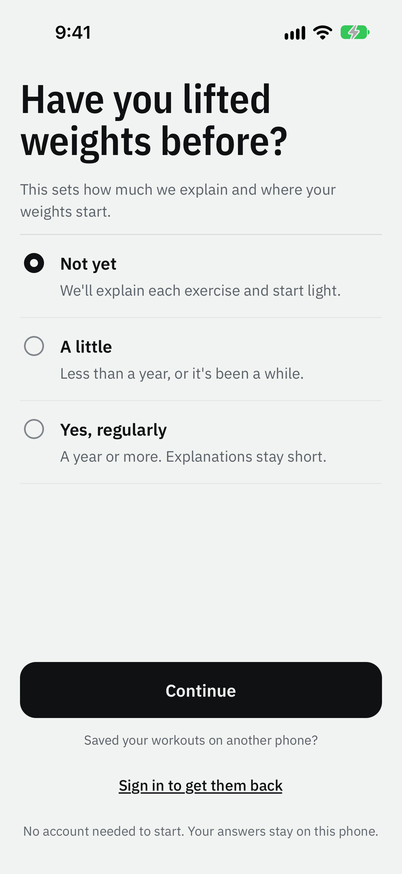
01 Sets how much is explained, and starts you light.
-
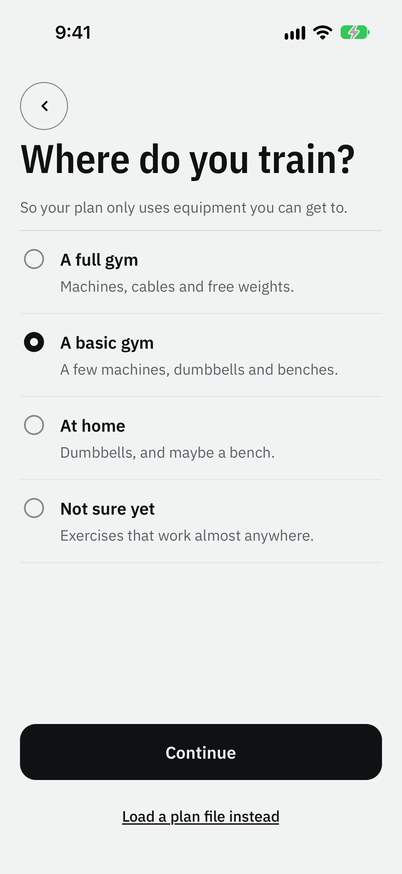
02 Your plan uses only what you can get to.
-
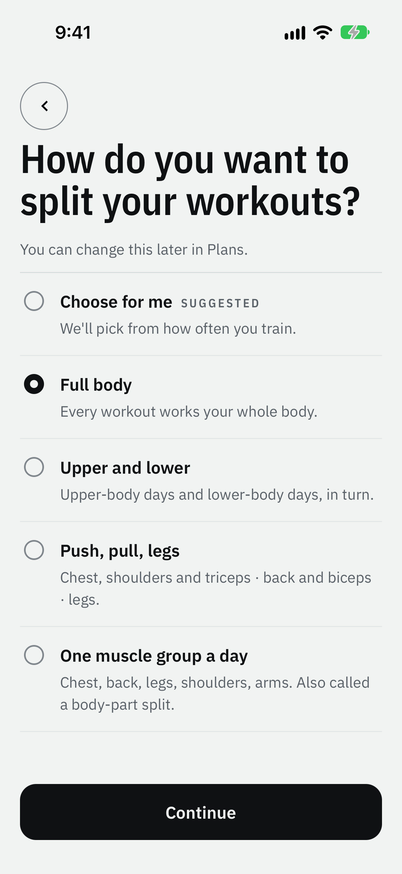
03 Which days work which muscles.
-
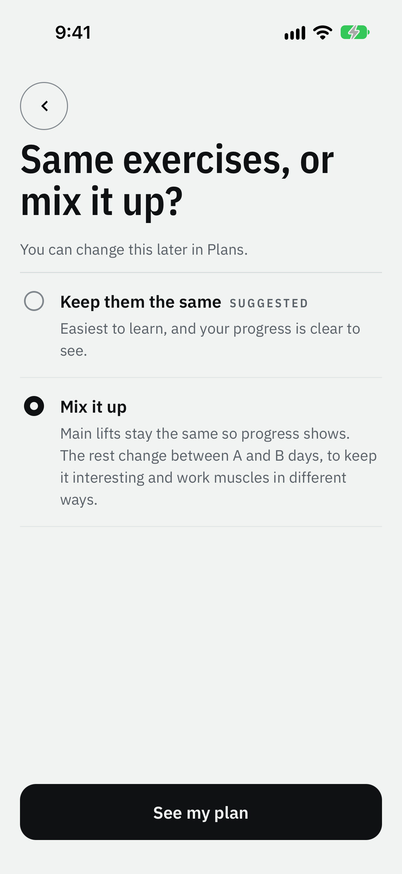
04 The same main lifts, so progress shows.


When the gym is busy
Machine taken? Swap.
Tap Swap and pick another exercise for the same muscles, for today only. At the end, you choose whether to keep it.

Today's focus
Today, one thing.
Focus Goblet squat is ready for 35 lb.
Before you start, Home can show one thing your last visits point to, and what to do about it today. Tap it for the reason. Then lift.
Progress
Facts, not fireworks.
Every exercise keeps its record: the heaviest weight, the most reps or the longest hold. Each has a chart, and every workout is in your history.
The best estimated single lift is the most you could likely lift once, worked out from your sets. An estimate, not a target. Forgot to log a workout? Add it. Logged one wrong? Fix it.

Privacy
Yours, and private.
-
Works with no signal.
Logging, plans, how-to text, progress and swaps work on the phone, so a basement gym is fine.
-
No account to start.
Want a copy kept? Sign in with Apple or Google. Delete the account in the app whenever you like.
-
Never used for ads.
Your training data is never used for ads, and the app has none. This site keeps no cookies and tracks no one.
Pricing
Free to use.
Logging, ready-made plans and progress are free, for good.
Free, for good
Everything to train
Free
- A plan after four questions
- One tap a set, and when to add weight
- How-to for 335 exercises
- Swaps, My gym and today's focus
- Records, charts and history
The coach plan
Adds the coach
$2.99a month, or $24.99 a year
- A coach that edits your workout live
- AI plans built around your gym
- AI reads your gym's equipment from photos
- Try it free first
Prices in US dollars; the App Store shows your local price.
The guide
Before your first visit.
Five short reads for anyone new to the gym, each with its sources.
- The guide
Your first day at the gym
What to bring, the unwritten rules, and how long to stay.
- The guide
How heavy to start
Picking a first weight, and when to add more.
- The guide
How often to train
Days a week, rest between sets, and missed weeks.
- The guide
Machines or free weights
What each is good for, and how to choose.
- The guide
Gym words in plain English
Sets, reps, RPE, supersets and the rest.
Walk in knowing.
Photograph your gym, and your coach takes it from there.